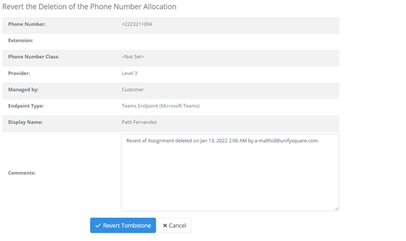
To revert a tombstoned allocation and return it to an assigned allocation:
1. Follow the steps in searching and viewing phone numbers to display the phone number details.
2. Select Revert.
3. You will be navigated to the Revert the Deletion of the Phone Number Allocation page, select Revert.
4. The allocation type is now allocated.