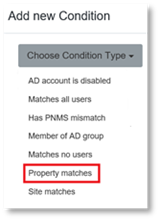
To modify the Conditions using Rules Manager:
1. Follow the steps in Modifying Rules to edit the Rule.
2. For modifying Conditions, click on the existing Condition in the Condition field.
3. Click on Choose Condition Type drop down menu arrow.
4. Edit the Condition Type.
5. Click Modify.
6. Click Update.