
1. Click on Property Matches.
2. Select the properties from the drop down menu. The selections for the first property field are:
– Custom
– Derived
The selections for the second Property field are:
– Current
3. In the last property field, enter the name of the property.
4. Click on String to display the drop down menu
5. Select from the dropdown menu:
a. String
o Complete fields as they relate to the string you wish to add as a Condition.
b. Property
o Complete fields to compare against another property.
c. Date
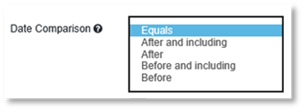
o Select the date comparison that matches your Condition requirement.
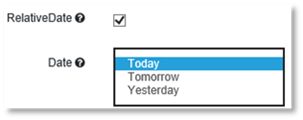
o Select Relative Date if you wish the Condition to use Today, Tomorrow or Yesterday.
o Select the date of Today Tomorrow or Yesterday.
7. Click Modify.