beneath the Poor Call filters.
To view detailed Poor Call data in table format, click beneath the Poor Call filters.

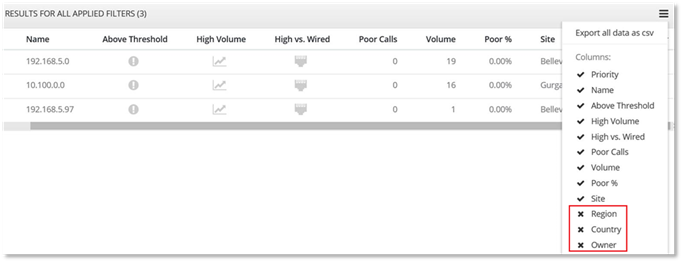
The table displays high level indicators, indicating what may be causing the poor calls.

To sort the data, hover over the column title, and click on the arrow that displays.

Click  in
the top right hand of the table to select the columns to display in the
table.
in
the top right hand of the table to select the columns to display in the
table.
Additional columns for geography site properties information may be viewed for the Internal Wired to Server and the Internal Wireless to Server call scenarios in the Table format, when the following categories are selected:
- Subnet
- BSSID
The geography columns available for the Internal Wired to Server and Internal Wireless to Server call scenarios are:
- Region
- Country
- Owner
- Custom Site Properties that have been configured for your organization