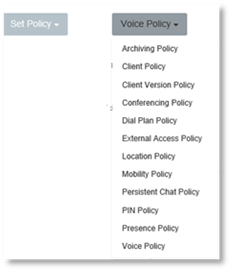
1. Click Set Policy.
2. Select the policy you wish to set, from the drop down menu.
3. Select the Default check box, complete the default field.
4. Select from the Allowed Policies drop down menu, the policies you wish to add to be allowed.
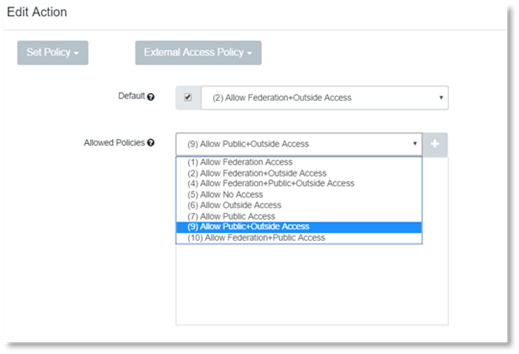
5. Click
 to add the policy to the
allowed policies.
to add the policy to the
allowed policies.
6. To
delete an allowed policy click  .
.
7. Click Create.