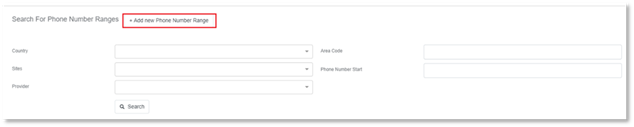
To add a new phone number range:
1. Select Phone Number Ranges from the menu on the left-hand side of the Phone Number Management Dashboard.
2. Select + Add New Phone Number Range.
3. Complete the following fields:
- Country
- Provider
- Circuits
- Starting phone number
- Ending phone number
- Variable Digits
o This is the number of digits that change in the phone number.
Example: If the start is of the numbers is 123 and the end is 199, then there are 2 variable digits.
- Extension Length
4. Select Next.
5. You will be navigated to the Edit Phone Number Page.
6. Edit any fields if necessary.
7. Select Next.
NOTE:
If a large phone number range is being created, it may take several minutes for the creation process to complete.
After selecting Next, you will be navigated to the Edit a Phone Number Range page.